# Dark Blood - Theme for VSCode


[![vscode-theme-dark-blood](https://raw.githubusercontent.com/ptkdev/vscode-theme-dark-blood/main/.github/assets/dark-blood-theme.png)](https://marketplace.visualstudio.com/items?itemName=ptkdev.dark-blood-theme)
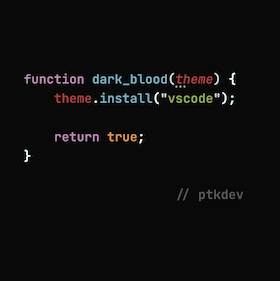
# 🎨 vscode-theme-dark-blood

I released the new version of my dark theme for VSCode, 1 theme with 5 shades of different colors with the name of the blood type (A, B, AB, 0)! Optimized for typescript and javascript. I wrote some regexes to color JSDoc comments correctly too which are now much more readable.

[![vscode-theme-dark-blood](https://raw.githubusercontent.com/ptkdev/vscode-theme-dark-blood/main/.github/assets/badge.png)](https://marketplace.visualstudio.com/items?itemName=ptkdev.dark-blood-theme)


## 👔 Screenshot

### Blood - Default

<table>
	<tr>
		<td width="30%"><a href="https://raw.githubusercontent.com/ptkdev/vscode-theme-dark-blood/main/.github/assets/notype-1.png"><img width="100%" src="https://raw.githubusercontent.com/ptkdev/vscode-theme-dark-blood/main/.github/assets/notype-1.png"></a></td>
		<td width="30%"><a href="https://raw.githubusercontent.com/ptkdev/vscode-theme-dark-blood/main/.github/assets/notype-2.png"><img width="100%" src="https://raw.githubusercontent.com/ptkdev/vscode-theme-dark-blood/main/.github/assets/notype-2.png"></a></td>
		<td width="30%"><a href="https://raw.githubusercontent.com/ptkdev/vscode-theme-dark-blood/main/.github/assets/notype-3.png"><img width="100%" src="https://raw.githubusercontent.com/ptkdev/vscode-theme-dark-blood/main/.github/assets/notype-3.png"></a></td>
	</tr>
</table>

### Blood - Type A

<table>
	<tr>
		<td width="30%"><a href="https://raw.githubusercontent.com/ptkdev/vscode-theme-dark-blood/main/.github/assets/type-a-1.png"><img width="100%" src="https://raw.githubusercontent.com/ptkdev/vscode-theme-dark-blood/main/.github/assets/type-a-1.png"></a></td>
		<td width="30%"><a href="https://raw.githubusercontent.com/ptkdev/vscode-theme-dark-blood/main/.github/assets/type-a-2.png"><img width="100%" src="https://raw.githubusercontent.com/ptkdev/vscode-theme-dark-blood/main/.github/assets/type-a-2.png"></a></td>
		<td width="30%"><a href="https://raw.githubusercontent.com/ptkdev/vscode-theme-dark-blood/main/.github/assets/type-a-3.png"><img width="100%" src="https://raw.githubusercontent.com/ptkdev/vscode-theme-dark-blood/main/.github/assets/type-a-3.png"></a></td>
	</tr>
</table>

### Blood - Type B

<table>
	<tr>
		<td width="30%"><a href="https://raw.githubusercontent.com/ptkdev/vscode-theme-dark-blood/main/.github/assets/type-b-1.png"><img width="100%" src="https://raw.githubusercontent.com/ptkdev/vscode-theme-dark-blood/main/.github/assets/type-b-1.png"></a></td>
		<td width="30%"><a href="https://raw.githubusercontent.com/ptkdev/vscode-theme-dark-blood/main/.github/assets/type-b-2.png"><img width="100%" src="https://raw.githubusercontent.com/ptkdev/vscode-theme-dark-blood/main/.github/assets/type-b-2.png"></a></td>
		<td width="30%"><a href="https://raw.githubusercontent.com/ptkdev/vscode-theme-dark-blood/main/.github/assets/type-b-3.png"><img width="100%" src="https://raw.githubusercontent.com/ptkdev/vscode-theme-dark-blood/main/.github/assets/type-b-3.png"></a></td>
	</tr>
</table>

### Blood - Type AB

<table>
	<tr>
		<td width="30%"><a href="https://raw.githubusercontent.com/ptkdev/vscode-theme-dark-blood/main/.github/assets/type-ab-1.png"><img width="100%" src="https://raw.githubusercontent.com/ptkdev/vscode-theme-dark-blood/main/.github/assets/type-ab-1.png"></a></td>
		<td width="30%"><a href="https://raw.githubusercontent.com/ptkdev/vscode-theme-dark-blood/main/.github/assets/type-ab-2.png"><img width="100%" src="https://raw.githubusercontent.com/ptkdev/vscode-theme-dark-blood/main/.github/assets/type-ab-2.png"></a></td>
		<td width="30%"><a href="https://raw.githubusercontent.com/ptkdev/vscode-theme-dark-blood/main/.github/assets/type-ab-3.png"><img width="100%" src="https://raw.githubusercontent.com/ptkdev/vscode-theme-dark-blood/main/.github/assets/type-ab-3.png"></a></td>
	</tr>
</table>

### Blood - Type 0

<table>
	<tr>
		<td width="30%"><a href="https://raw.githubusercontent.com/ptkdev/vscode-theme-dark-blood/main/.github/assets/type-zero-1.png"><img width="100%" src="https://raw.githubusercontent.com/ptkdev/vscode-theme-dark-blood/main/.github/assets/type-zero-1.png"></a></td>
		<td width="30%"><a href="https://raw.githubusercontent.com/ptkdev/vscode-theme-dark-blood/main/.github/assets/type-zero-2.png"><img width="100%" src="https://raw.githubusercontent.com/ptkdev/vscode-theme-dark-blood/main/.github/assets/type-zero-2.png"></a></td>
		<td width="30%"><a href="https://raw.githubusercontent.com/ptkdev/vscode-theme-dark-blood/main/.github/assets/type-zero-3.png"><img width="100%" src="https://raw.githubusercontent.com/ptkdev/vscode-theme-dark-blood/main/.github/assets/type-zero-3.png"></a></td>
	</tr>
</table>

## 🚀 Installation

1. Install extension from [vscode marketplace](https://marketplace.visualstudio.com/items?itemName=ptkdev.dark-blood-theme).
2. Open VSCode, go to extensions list and find "Dark Blood Theme"
3. Click to `Set Color Theme` and confirm theme.

🧩 Extra: if you want exactly what the screenshots look like (icons, hexcode colors preview, etc), install these extensions:

-   Set font: **[Fira Code Medium](https://github.com/tonsky/FiraCode/wiki/VS-Code-Instructions)** or **[JetBrains Mono Medium](https://www.jetbrains.com/lp/mono/#how-to-install)** (13.5px size and 500 weight + ligatures).
-   `ext install pkief.material-icon-theme`
-   `ext install naumovs.color-highlight`
-   `ext install wiggin77.codedox`
-   `ext install gruntfuggly.todo-tree`
-   `ext install esbenp.prettier-vscode`
-   `ext install dbaeumer.vscode-eslint`

Launch VS Code Quick Open (Ctrl+P), paste the following command, and press enter.

# ❤️ Thanks! Leave a feedback!
